

PPTMaster Use Cases: PDF Briefings
Explore PPTMaster online use cases for project reports, research papers and training PDFs. Match each briefing to its source, audience and review checks.
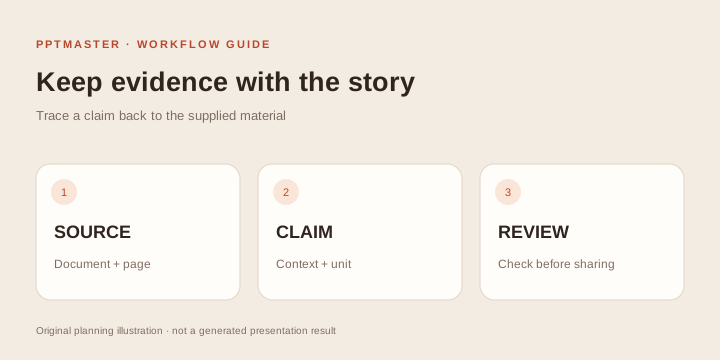
A project update, research reading or team orientation can start from the same task: summarize an existing PDF into a short presentation. These PPTMaster online use cases explain what to include, what to leave in the source and what the reviewer must check in the PDF briefing workflow. A clear task has three parts: a source document, a specific audience and a decision or explanation the deck should support.
The scenarios below are worked planning examples, rather than customer testimonials or measured outcomes. They show how to scope a briefing within the current online service: one English or Chinese text PDF, up to 10 MB and 20 physical pages, six fixed styles and a total of six or eight output slides. Follow the PPTMaster online tutorial for the interface steps.
Choose a briefing before choosing a style
| Meeting task | What the PDF must already contain | A practical scope | The reviewer owns |
|---|---|---|---|
| Project review | Dated progress, blockers and next steps | Four content topics in a six-slide deck | Completed work versus plans |
| Analyst briefing | Findings, units, periods and limitations | Six content topics in an eight-slide deck | Denominators and interpretation |
| Reading group | Research question, method, results and limitations | A narrow paper overview | Scientific qualifications and references |
| Policy orientation | Current rules, exceptions and owner | A short introduction with the policy kept available | Obligations, exclusions and version |
| Client discussion | Approved scope, evidence and conditions | A first draft for internal review | Commitments, names and external sharing |
These outlines are planning aids. Instructions can emphasize source material but do not guarantee exact generated topic titles. Before using any scenario, check input and audience suitability; then use the online walkthrough for the controls.
Use case 1: A project status report for leadership
Starting material: An approved project report that describes progress, dates, dependencies and known problems. Audience: People deciding priorities or resource allocation. Useful outcome: A short explanation of what changed and which points require attention.
Choose six slides when there are a few central developments. Reserve the cover and source-reference table, then plan four topic slides around progress, evidence, constraints and next decisions. This is a planning outline; check the generated structure before treating it as the final narrative.
Summarize this project report for the steering group.
Emphasize changes since the previous period, evidence of progress and
remaining dependencies. Preserve dates and the status of unresolved items.
Do not turn proposed work into completed work.
The critical review is status accuracy. A source saying “scheduled for November” must not become “completed in November.” Check that owners, dates and dependencies remain attached to the correct items. Add your meeting-specific recommendation after checking the draft, and distinguish it from the report's statements.
Choose another route when: You need ongoing connections to task systems, live dashboards or an exact corporate deck. Those require capabilities beyond this PDF summary workflow.
Use case 2: A public report for an internal briefing
Starting material: A short public agency, industry or organizational report. Audience: Colleagues who need the findings but will not read the full PDF. Useful outcome: An editable overview with source references available during discussion.
The site's public-report example demonstrates the relevant mechanism: a summary with original excerpts and physical PDF page references.
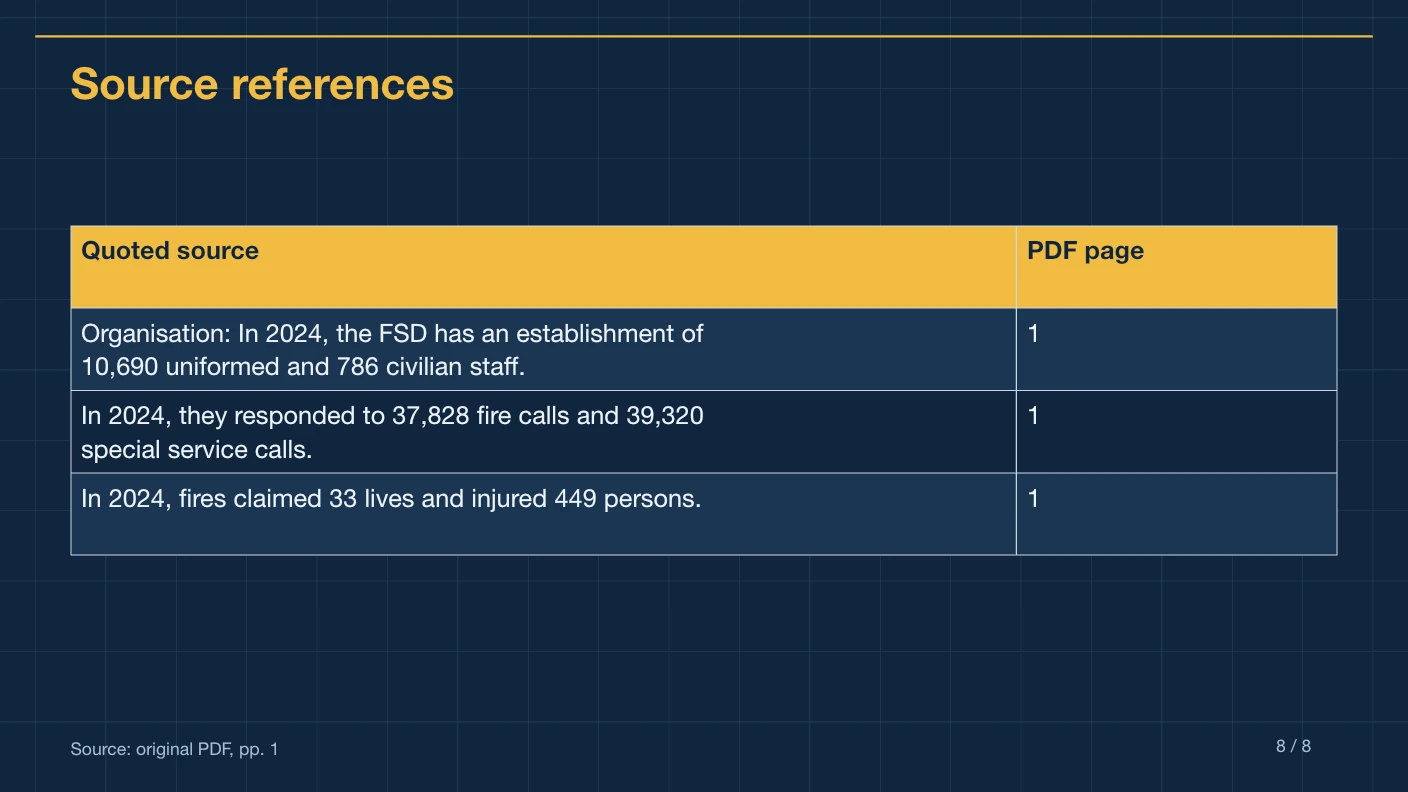
Website export example. Review the source and downloadable file before adapting the approach to another report.
Eight slides allow six topics after the cover and before the source table. Plan topic titles as questions the audience actually has: What changed? What was measured? Who was affected? What constraints matter? The source must contain the answers; the workflow does not perform fresh web research.
Check scope and denominator. A percentage from one surveyed group does not establish a percentage for everyone. Keep year, geography, sample and unit with the claim. If a slide condenses two separate findings into one statement, verify that the source supports the relationship.
Choose another route when: The job is preserving every page's exact layout or recreating dense chart graphics. See the PPT Skills use cases for workflows to investigate.
Use case 3: A research paper for a reading group
Starting material: A selectable-text paper within the page limit. Audience: A lab meeting, journal club or study group. Useful outcome: A first draft of the paper's question, method, reported observations and limitations.
A six-slide discussion can allocate its four topic slides to the research question, method, main findings and limitations. A longer paper may need a carefully selected excerpt or a different workflow. The source table is a review aid; it is not an APA or other academic bibliography formatter.
Prepare a reading-group summary from this paper.
Keep the study setting, method and limitations visible.
Distinguish the authors' observations from their interpretation.
Use the supplied source only; do not add related-work claims from memory.
The important review is qualification. Check study population, experimental conditions, baseline and uncertainty before repeating a result. Inspect equations, figure references and any claim that sounds causal. Complex diagrams are not automatically rebuilt as native diagrams by the online converter. Add required academic references and verify them manually.
Choose another route when: You need a full thesis defense, notation-heavy scientific slides, an institutional master or dozens of slides. Use who PPT Skills are for to evaluate a more appropriate route.
Use case 4: A policy or training document for a team
Starting material: A current, approved internal guidance PDF. Audience: Staff who need to understand a process before a meeting or training session. Useful outcome: A concise orientation that points back to the controlling document.
Plan four content topics for six slides: purpose, main process, exceptions and where to check details. Keep the document's version date in your review notes. Summary slides should not replace the authoritative policy or a mandatory training program.
The important review is exceptions and obligations. A condition, exclusion or threshold can matter more than the headline rule. Verify words such as “must,” “may” and “unless” against the original. If every detail is mandatory, a short summary may be insufficient.
Choose another route when: You need quizzes, learner tracking, a training platform, a narrated course or restricted-document processing the service cannot accommodate.
Use case 5: An approved business document for a client discussion
A project proposal, service review or discovery report can support a short client briefing when the source is suitable for external processing. Use the presentation to explain the document's material, rather than to invent market validation or commercial promises.
Before uploading, confirm approval to process the file. In the draft, check that a scope assumption has not become a commitment. Review names, fees, dates and conditions against the original. The export's native text and table support editing; a client requirement for a particular master is a reason to explore template-aware PPT Skills.
Choose a style for the task
Use the style previews to judge hierarchy, density and readability. Try viewing a content slide, rather than choosing only from a cover. A formal research conversation and a quick internal briefing can have different visual needs, but a style change does not increase the amount of source evidence available.
| If your main requirement is… | Start with… | Verify before sharing |
|---|---|---|
| A short source-based briefing | PPTMaster online | Coverage, citations and editable text |
| A mandatory corporate master | A template-aware external workflow | Master behavior and final object editability |
| An interactive web talk | An HTML or framework route | Browser controls, assets and offline behavior |
| Exact preservation of PDF pages | A layout-preserving conversion tool | Visual fidelity and its editing limitations |
| A long, highly customized presentation | An authoring workflow in your Agent | Outline, rendering and final export |
Worked planning example: a six-slide project review
Suppose an approved PDF says 12 of 20 pilot interviews are complete and five of those 12 participants needed setup help. Those figures are fictional, used here to make the review task concrete. Keep the denominator as completed interviews; the eight scheduled interviews are not yet findings.
A six-slide planning outline can be:
- Cover: project, source version and meeting purpose.
- Progress: 12 completed interviews and eight still scheduled.
- Observation: setup help was needed by five of the 12 completed participants.
- Limitations: a small pilot cannot represent all customers or prove a cause.
- Proposed next step: finish the interviews and test a clearer setup entry.
- Source-reference table: check the excerpts and physical pages in the export.
The fifth topic is a proposal only if the source contains it; otherwise add it yourself after reviewing the source-based draft and label it as your recommendation. Use a selectable-text PDF within the limits. A Markdown file or copied outline is not a supported upload.
This example illustrates source-to-claim review; it is not a completed generation or a promised layout. The real website example and editing exercise let you inspect an existing export before uploading.
A reusable acceptance checklist
Ask a reviewer to open both the PDF and PPTX. Check the intended audience, source version, coverage, factual claims, original excerpts and physical page references. Then test editing and presentation in the target application. Record any added interpretation separately from the source summary.
For prerequisites and role fit, read who PPTMaster is for. To implement one of these scenarios, follow the online tutorial. Review pricing and the privacy policy before a real upload.
Sources and scope
Product constraints and the example come from the site's PDF workflow, style library and privacy policy, checked October 18, 2026. Suggested outlines and instructions are original planning examples; they do not describe completed customer projects or guarantee a particular generated outline.