

Who Is PPTMaster For? Fit and Limits
Check whether PPTMaster online fits your role, PDF source and editing needs. Review input limits, privacy responsibilities and when to choose a Skill.
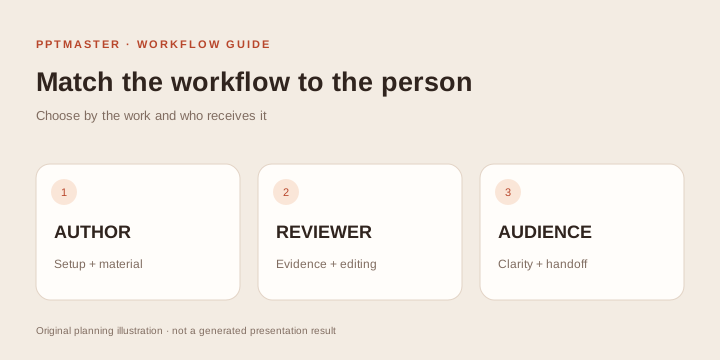
PPTMaster online fits people who already have a short, supported PDF and want a concise PowerPoint draft with checkable source references. You do not need to install an Agent, Python or a local slide framework. You do need to understand the source well enough to review the summary and use a PowerPoint-compatible editor for the final changes.
Use this guide to decide whether the online service fits your role and constraints. For exact steps, read the PPTMaster online tutorial; for task outlines, see PPTMaster use cases.
Start with four fit questions
- Is the evidence already in one document? The current service needs one English or Chinese text PDF, up to 10 MB and 20 physical pages. It does not create a sourced deck from an unsupported topic alone.
- Is six or eight slides enough? These totals include a cover and a source-reference table, leaving four or six topic slides.
- Can a fixed style work? Choose from the six available styles. A mandatory custom master needs another route.
- Can you review the facts and approve external processing? Extracted text is sent through EvoLink. Check the privacy policy and your organization's requirements.
A “yes” to all four makes a small public-document trial a reasonable way to evaluate the workflow. A “no” identifies a requirement to resolve before uploading.
Project managers and operations leads
A good fit: Turning a status report or operating review into a short meeting briefing. These users usually know what changed and can check whether the draft preserves dates, statuses and dependencies.
What to prepare: A current PDF, the meeting audience, two or three priorities and a list of figures that must remain accurate. Include whether the meeting is for information, discussion or a decision.
What the author must check: Completed work versus planned work, reported results versus targets, and whether the deck has omitted a blocker that changes the interpretation. Keep recommendations added by the team distinct from facts in the source.
What can make it unsuitable: Live dashboards, automatic updates from multiple systems, a long operating pack or a strict company master. The PPT Skills directory can help you investigate broader authoring routes, but a directory classification alone is not proof that an integration exists.
Analysts and consultants
A good fit: Creating a first briefing from an approved report for internal review. Native text and an editable source-reference table make it possible to revise wording and trace the supporting evidence after download.
What to prepare: Permission to process the document, a defined review question and the exact source version. Separate the source's conclusions from your own interpretation.
What the author must check: Units, periods, denominators, caveats and whether summary statements imply more than the report supports. Verify the physical PDF page behind each important claim. The table does not automatically reconstruct complex charts as native chart objects.
What can make it unsuitable: A client deliverable that must preserve a corporate master, complex visual reconstruction or restricted material. Consider the external Skills selection guide if those are essential requirements.
Educators and training facilitators
A good fit: Preparing an orientation to a short reading, policy or reference document. A small deck can help frame a discussion while keeping the original PDF available for detail.
What to prepare: The learning goal, students' prior knowledge and the parts of the reading to emphasize. Choose a manageable scope, such as explaining a process or comparing two source-supported ideas.
What the author must check: Terminology, definitions and important exceptions. Make sure a learner can follow the story without mistaking the compressed slides for the complete source. Add activities and discussion questions in your editor after reviewing the draft.
What can make it unsuitable: A whole course, learner assessment, interactive lessons, LMS tracking or complex diagram construction. Those tasks need additional authoring and teaching tools.
Researchers and students
A good fit: An initial reading-group or study presentation from a paper within the input limits. The draft can organize a conversation about the question, method, findings and limitations.
What to prepare: The paper, audience level and the required academic context. Verify that the PDF text extracts correctly, especially in multi-column layouts.
What the author must check: Equations, study conditions, qualifications and whether an observation has been turned into a causal conclusion. Source page references and notes support review; they are not a formal bibliography system. Follow institutional rules for AI assistance and disclosure.
What can make it unsuitable: A final thesis defense, a long systematic review, a notation-heavy technical talk or a required university master. Explore Skills use cases for a broader workflow.
Founders and business owners
A good fit: Summarizing a supplied business report or approved plan for an internal discussion. A short source-based draft can provide a starting structure for editing.
What to prepare: A real document containing the facts you want to communicate. Keep customer evidence, financial assumptions and future plans clearly labeled.
What the author must check: Whether the output preserves the status of projections and avoids presenting illustrative numbers as established results. The Heatline pitch shown in the upstream gallery is a fictional-company design demonstration from a separate project, not a customer success story or output promised by the online service.
What can make it unsuitable: An investor deck requiring fresh market research, missing financial evidence, a bespoke brand system or investor-specific narrative design. Those requirements take work beyond condensing a PDF.
When the online service is the wrong fit
| Requirement | Why to pause | Route to investigate |
|---|---|---|
| Everything must remain on a local machine | This service uploads files and uses external model processing | An approved local environment with verified provider and network behavior |
| Source is scanned or handwritten | The current workflow expects selectable PDF text | An OCR preparation workflow, followed by source review |
| Every source page must look identical | Output is a summary in a fixed layout | A fidelity-oriented PDF conversion workflow |
| All objects must match a company template | The online service offers fixed styles | A project with documented template handling |
| The presentation needs browser interactivity | Output is PPTX, not a web application | An HTML presentation or slide framework |
| No one can review the source | AI checks do not establish factual correctness | Assign a qualified reviewer before sharing |
Local installation also deserves scrutiny: an Agent running on your computer may send material to remote providers. Check actual processing, rather than relying on where the interface is installed.
Decide who prepares, reviews and receives the deck
A job title alone is not enough to establish fit. For a team review, name a source owner who can approve the PDF, an author who can define the meeting question, a factual reviewer who understands the evidence and a recipient who can edit the output. One person can cover several roles, but the responsibilities should be explicit.
For example, an operations lead with an approved ten-page report, a short meeting and a reviewer is a reasonable candidate for a small trial. A consultant with a restricted client report and a mandatory corporate master has two requirements to resolve first, even if the document is short enough. A student who cannot explain a paper's methods still needs subject review after generation.
Write a one-line decision before uploading: “We can process this source externally; six or eight slides fit the meeting; a fixed style is acceptable; [person] will verify the source and edit the PPTX.” If a clause is unresolved, find the appropriate owner or compare the Agent workflow readiness guide. An external Skill is an option to investigate, not automatic proof of privacy or template support.
For examples of what each role would actually present, use the PDF briefing scenarios. For the controls and recovery steps, use the online tutorial.
What to do before your first job
Open the PDF-to-PPT example, download its PPTX and test it in the application your recipient uses. Check native text, table editing and speaker notes. Preview a content slide in each style, then read the current pricing.
If the format fits, use a public or approved document for your first job and follow the step-by-step tutorial. If a key requirement remains unresolved, compare PPT Skills and check the chosen project's current documentation before setup.
Sources and scope
Role guidance is based on the capabilities and limits described in the site's PDF workflow, styles, pricing and privacy policy, checked October 18, 2026. Role examples are planning guidance, not evidence of adoption or measured productivity gains.