

Who Should Use PPT Skills? Setup and Fit
Decide whether PPT Skills fit your role and setup experience. Check editing, source review, privacy and handoff responsibilities before choosing a workflow.
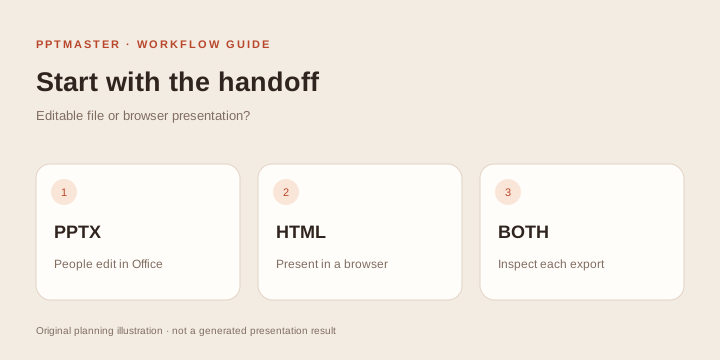
PPT Skills for AI Agents suit people who want an Agent-assisted authoring process and are prepared to review both the content and the exported file. They can help with native PowerPoint, browser presentations and specialized source workflows, but the right route depends on your recipients and environment.
You do not have to be a designer to describe a good brief. You do need to know the material, choose an appropriate setup and inspect the deliverable. The PPT Skills directory brings together 227 entries, including frameworks and template libraries as well as instruction Skills.
Check your editing and setup responsibilities
| Your requirement | Route to inspect | The decisive check |
|---|---|---|
| A colleague edits text and data in PowerPoint | Native PPTX | Edit representative objects in the final file |
| A browser-based talk | HTML | Presentation controls and asset delivery on the target device |
| Both web viewing and editable PowerPoint | Dual-format | Validate both outputs independently |
| Source-controlled decks maintained by a technical team | Framework | Another maintainer can build and update the project |
| Themes for an existing authoring tool | Template library | The theme is compatible with your actual renderer |
| Visual concept slides where pixel design takes priority | Image workflow | Recipients accept the loss or limits of object editing |
| Presentations within a wider research or office workflow | Skill collection | Install and invoke the specific presentation component |
These labels are starting points. A framework may have PPTX export, while an image workflow may wrap pictures in PPTX. Neither fact automatically establishes editable text, charts or diagrams. Verify the operations you need in the actual artifact.
Consultants, analysts and project teams
These roles often need editable handoff more than browser effects. Begin with the PPTX route, then look for evidence of native objects, template handling and speaker notes. A project with company-template support is worth piloting when the client requires a master, but test it on a copy before changing a production deck.
A strong brief includes the source, audience, decision, template and list of objects that must remain editable. A reviewer should compare important claims with evidence and try changing a real diagram or chart. If a colleague cannot update the file without recreating a slide, the handoff requirement has not been met.
For a short supported PDF and a fixed style, PPTMaster online offers a narrower hosted workflow. Choose an external Skill when your task needs broader authoring or editing and you can support its setup.
Developers and technical speakers
HTML and framework routes can fit teams that already work with files, source control and a browser. Code blocks, architecture explanations and iterative revisions make these workflows worth investigating. Check the current documentation for the features you need; an HTML classification alone does not prove code highlighting, presenter notes or offline operation.
Decide whether you want a self-contained delivered file or a maintained source project with dependencies. These can have different installation and handoff costs. A framework may be a better fit for a team that presents regularly, while a simpler HTML artifact may be easier to distribute for a single talk.
Before the event, test the actual laptop, browser, fonts, navigation and fallback file. If the recipient expects a PowerPoint they can edit, resolve that requirement before committing to a web-only design.
Educators, trainers and researchers
Choose by teaching purpose and institutional requirements. Editable PPTX can fit a shared teaching team or university master. Browser-based presentations can fit a controlled classroom device. Scientific notation, source references, figure rights and notes may be more important than a large theme catalog.
Prepare a reliable source, learner level and learning goal. A researcher should identify the conditions and limitations that must survive summarization. A teacher should specify which definitions must be introduced before a worked example.
Review every equation, caption and factual conclusion. An attractive diagram can still be misleading, and a source reference can point to text that does not support the inference made on the slide. Follow institutional rules for AI use and required citation style. A Skill does not replace subject expertise or academic review.
Designers, founders and marketing teams
These roles may value visual exploration, reusable brand assets and multiple directions before final production. An Agent-assisted workflow can support that exploration when the brief includes real material and the expected delivery format.
Check brand requirements early: logos, fonts, colors, reusable layouts and image rights. Distinguish an illustrative business figure from an actual result. A pitch deck needs credible evidence for traction, market or financial claims; a presentation Skill cannot create that evidence simply by arranging it well.
An image-first route can be suitable for concept visuals when the recipients accept a largely pictorial result. It is less suitable when someone must change each label, translation or value in PowerPoint. If you need web and PPTX, inspect the dual-format route and budget time for two acceptance checks.
For a concrete deliverable rather than a role check, compare the six PPT Skills use cases. Use each scenario’s acceptance criteria to test whether a candidate can support your handoff.
Beginners with no local setup experience
Start with one supported project and one small public source. Read the PPT Skills tutorial before copying installation commands. A plugin command belongs in a named Agent; a Python requirements command belongs in the appropriate terminal directory; a framework scaffold creates a project with its own dependencies.
Choose a route whose setup you or a teammate can maintain. Confirm the Agent can read the Skill and supporting files. Ask for a preview of a content slide before generating a full deck. Avoid installing many similar projects at once, because it becomes harder to tell which instructions the Agent used.
If your only goal is summarizing a suitable PDF and you prefer a browser service, use the PPTMaster online tutorial instead of taking on a local environment unnecessarily.
Teams with restricted documents or strict review requirements
A local Agent interface does not establish local-only processing. Check where document text, screenshots, image prompts and logs are sent. Optional model, image and search providers can have separate policies and credentials. Use the organization's approved environment and process before adding confidential sources.
Identify a factual reviewer, an output reviewer and a maintainer. For a client-facing or regulated workflow, preserve source versions, review notes and final artifacts so the team can explain what was supplied and what was changed. The directory provides selection data; it does not certify a project for a particular compliance requirement.
Compare two teams with the same presentation request
A prepared technical team: The author already uses a coding Agent, the source is approved for the configured providers, and a colleague can maintain the project. Their next step is a small Frontend Slides HTML exercise if a browser talk meets the delivery requirement. A successful content-slide pilot gives useful evidence before the full talk.
A team needing an editable client handoff: The presenter can review facts but cannot maintain a local environment. A native PPTX route can fit only if someone owns setup and the recipient tests the actual objects. Read the PPT Master prerequisites with that maintainer. If the task is just a supported short PDF briefing, evaluate whether the online service fits first.
Both teams may use the same source, yet need different tools. Decide who can install, who can maintain and who can accept the output before comparing style galleries.
How much setup should you take on?
Use this practical readiness check:
- Source readiness: Can you supply accurate material and identify what is missing?
- Environment readiness: Can you use the documented Agent, dependencies and project folder?
- Cost readiness: Do you understand which model or image calls may incur charges?
- Review readiness: Can someone verify facts, layout and the required editing operations?
- Handoff readiness: Will the recipient have the application, fonts and assets needed to use the output?
A practical handoff note records the project and checked version, source path, Agent/provider configuration without secrets, build or export instructions, final artifact paths and known limitations. Have a second person use that note to reopen or revise the result. If only the original author can operate the workflow, resolve maintenance ownership before adopting it for recurring work.
If a requirement is unresolved, narrow the trial before building a long deck. Test two or three representative pages. A long document creates more opportunities for layout and reasoning errors; it does not solve a setup problem.
Read the evidence behind a listing
The catalog preserves the source registry's type, description, license note and available documentation evidence. Capability filters return positive documentation matches. “Not documented” means there is no recorded support in that evidence, rather than a claim that the capability is absent.
Stars come from a September 4, 2026 snapshot. Some repositories contain multiple Skills, so their totals do not measure the presentation component alone. Treat popularity as context and inspect the current source before installation. Each project retains its own license, separate from the catalog's CC BY 4.0 license.
Choose a practical task from PPT Skills use cases, follow the setup and review tutorial, or start with the detailed PPT Master open-source guide. Use the full directory to compare candidates around the same delivery requirement.
Sources and scope
The route taxonomy and evidence model adapt many-ppt-skills under CC BY 4.0, checked October 18, 2026. The role recommendations are original task-based guidance. No ranking, adoption claim or runtime validation of all listed projects is implied.