
Brief a team
Turn an economic report, project update or business document into a meeting draft. Keep the report period, units and key qualifiers close to the figures so colleagues can follow the evidence.
Use PPTMaster online to turn a text PDF into 6 or 8 editable PowerPoint slides. Choose a style, keep the source references and make the final edits in PowerPoint.
Source excerpts retain the PDF’s original wording. No translation.
Choose your PDF first, then sign in to create it. The file stays in this browser until you sign in.
Refine native text and tables in PowerPoint.
PDF page references and excerpts in notes.
A concise summary with a consistent layout.

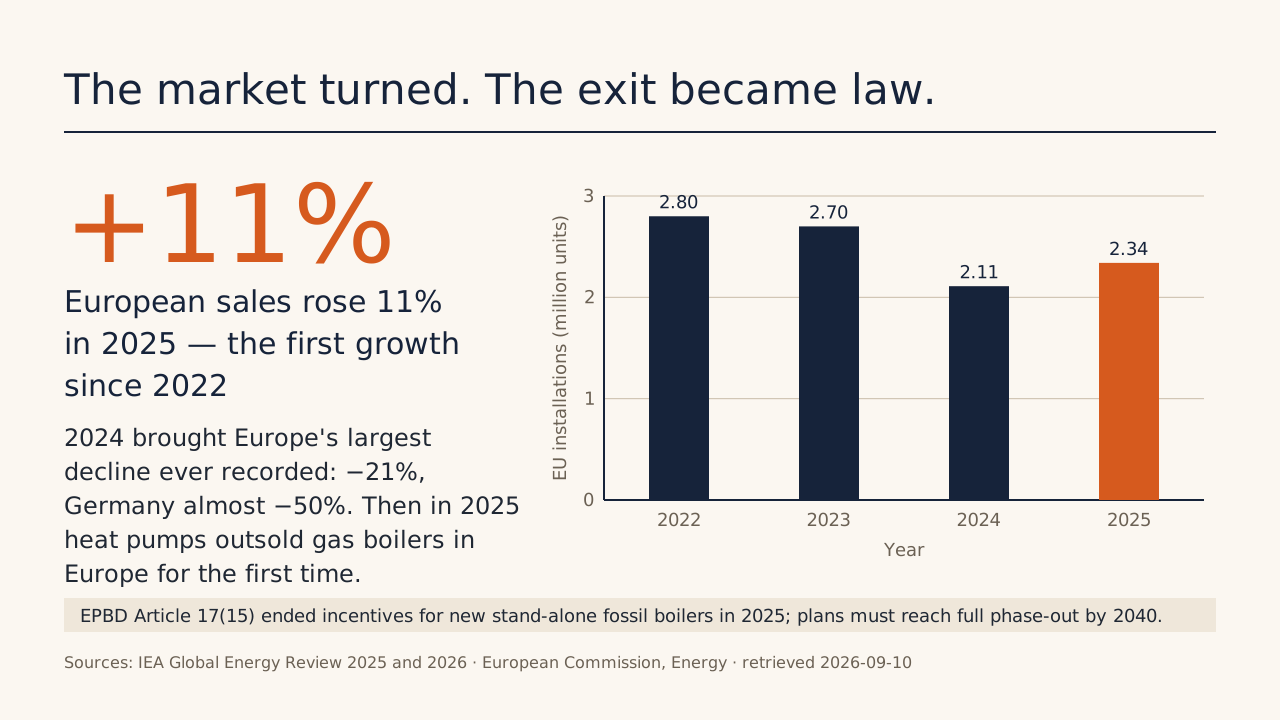
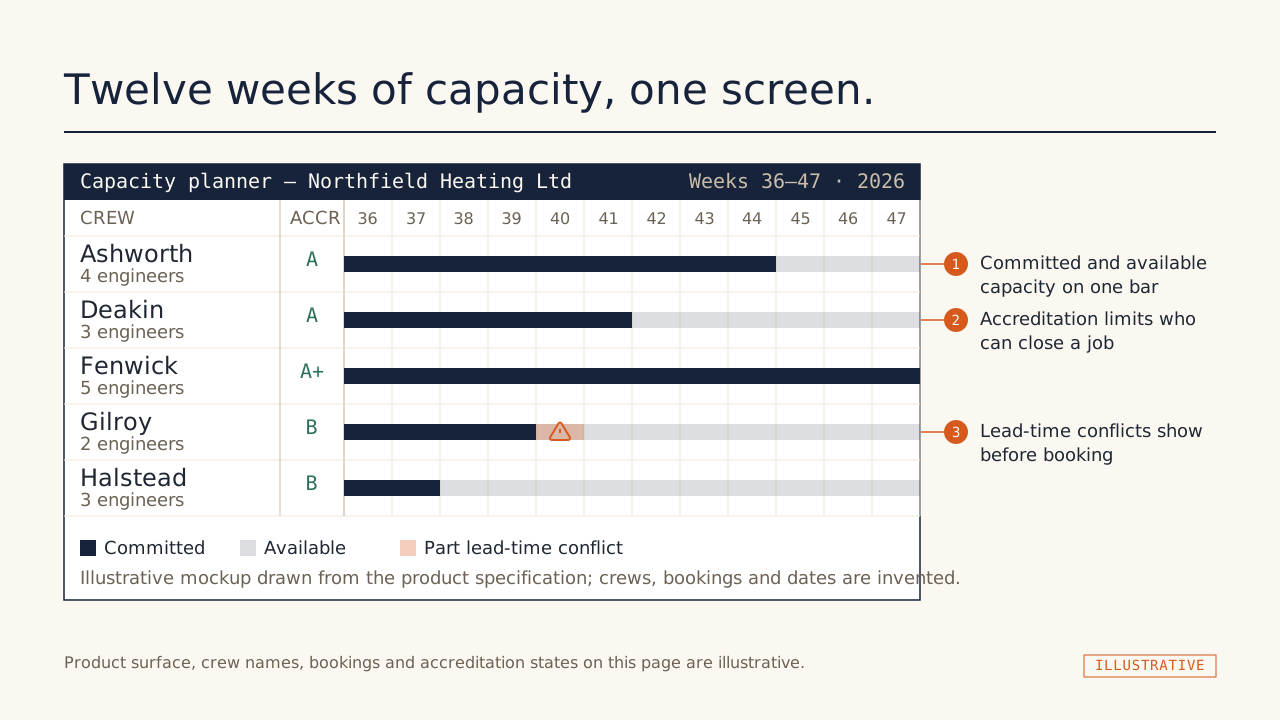
Heatline — Seed Round
An English design demonstration for a fictional company. Business figures are illustrative.
Upstream design reference by Hugo He. This is not a result generated by this website or your upload.
Open the original full deckInspect a website export
The design references above come from the original project. These downloadable examples show what the website’s fixed styles export, with native text, a table and source notes.
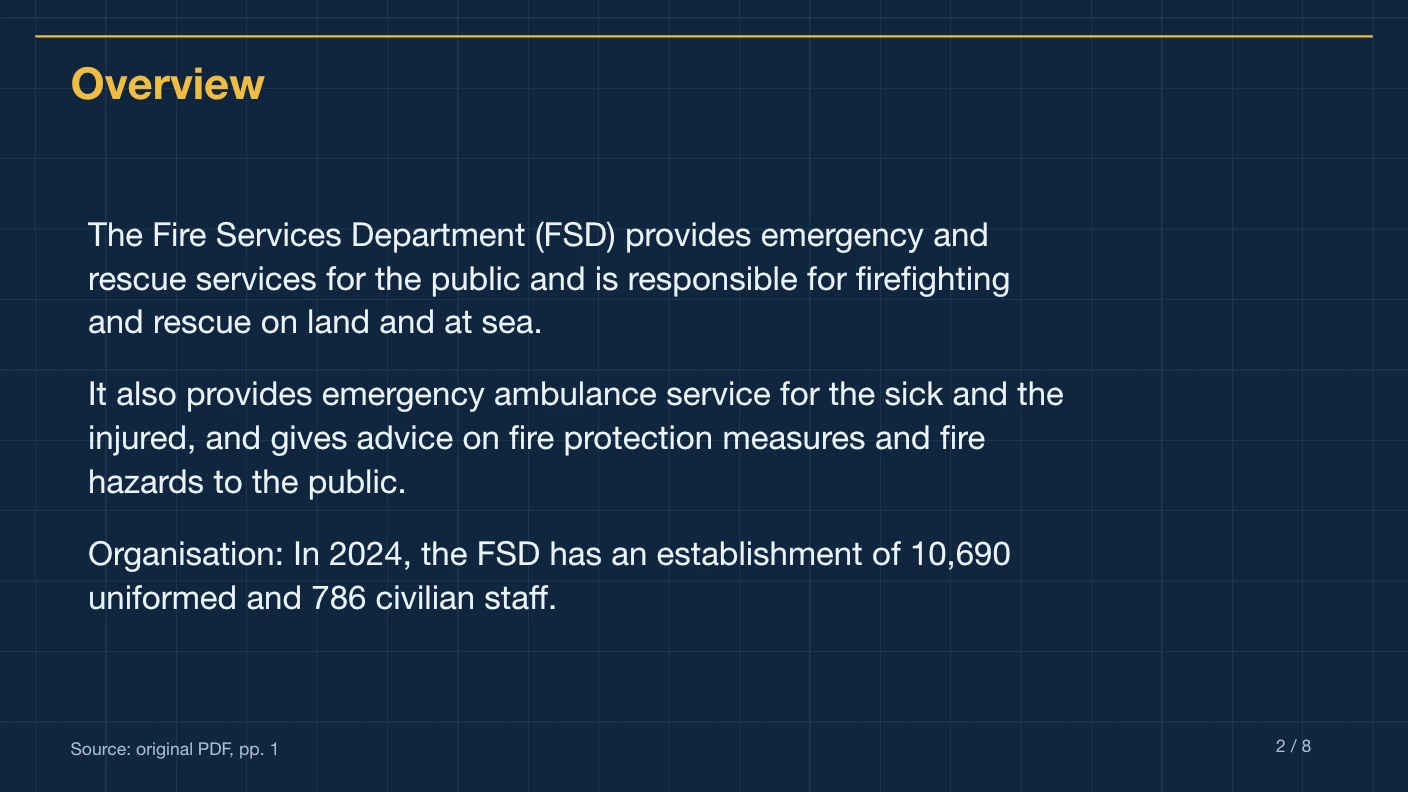
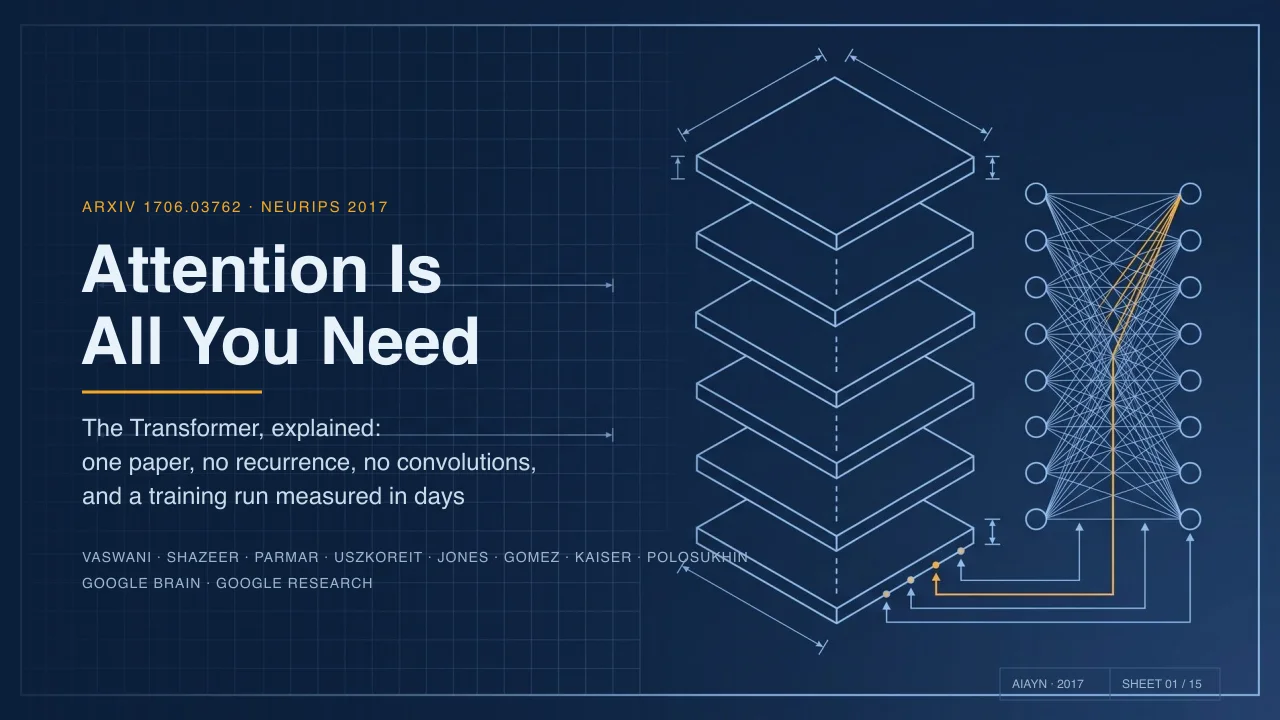
Website export example · Technical Blueprint
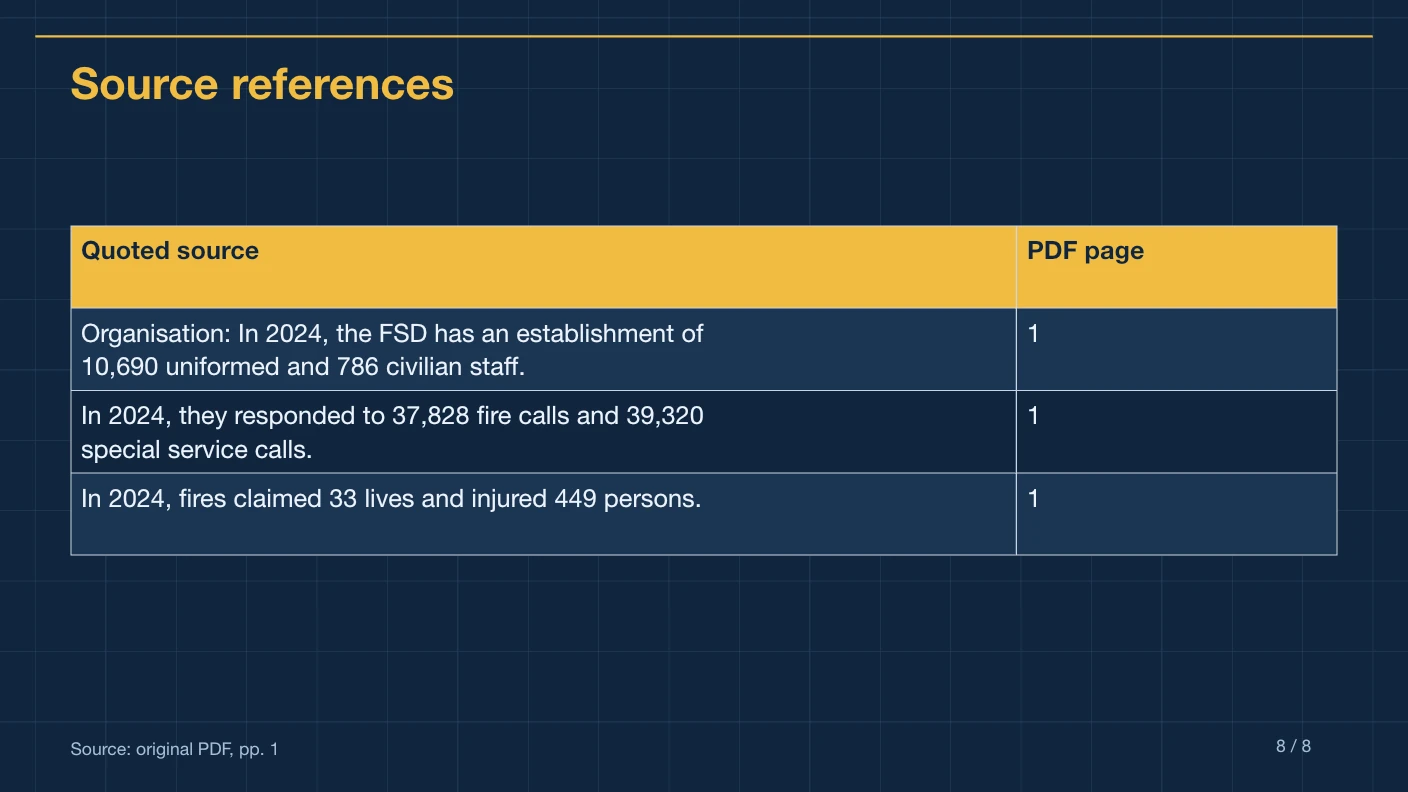
An eight-slide English summary of the public Fire Services factsheet. Your uploaded PDF creates a separate presentation.
Native text and table, on-slide references and source excerpts in notes. Choose a different style in the workspace before generating.
Compare Executive Brief, Technical Blueprint, Editorial Paper, Swiss Grid, Research Notes and Pitch Brief. Every style supports English and Chinese source excerpts.
What is PPTMaster?
PPTMaster is an online service for turning a text PDF into a concise, editable presentation. Bring an existing report, choose six or eight slides, and download a native PowerPoint draft with references back to the source.
Turn an economic report, project update or business document into a meeting draft. Keep the report period, units and key qualifiers close to the figures so colleagues can follow the evidence.
Give readers a short route through the main ideas in an English or Chinese PDF. Use the cited page numbers to return to the full context when a point needs a deeper explanation.
Spend your final review on the argument and wording. Edit the native text and source-reference table, then add your own branding, visuals and presenter perspective in your presentation editor.
A nine-page report can become an eight-slide briefing. PPTMaster selects and condenses source content into a fixed 16:9 layout; it does not preserve every paragraph or reproduce the PDF design. If you need a pixel-for-pixel copy, this workflow is not the right fit.
Upload one text PDF, up to 10 MB and 20 source pages. You should be able to select and copy text from it. Scanned pages, password-protected documents, DOCX files and custom PowerPoint templates are outside the current scope.
See the AI PDF to PPT workspace for the full input checklist, source-to-slide example and review steps. Explore the available presentation styles before choosing your layout.
Features
The initial release supports text PDFs and six fixed presentation styles. It does not reconstruct the original PDF design.
Native text boxes and a source-reference table you can edit in PowerPoint.
Supporting passages, source filename and source page numbers travel with the deck.
Consistent 16:9 layouts with measured text length and wrapping checks.
Choose the output page count and English or Chinese before submitting.
References, numbers and claims are checked before export. Review can still miss errors; inspect the cited source.
Your files are stored on our service. Extracted text is sent to EvoLink for AI processing.
Your first presentation is free. Then $4.90 for one or $12.90 for three. Failed or rejected jobs return their generation allowance.
How it works
Bring your source, choose the presentation you need, then review the editable result.
English or Chinese, up to 10 MB and 20 source pages. Scanned documents and OCR are outside the initial scope.
Select 6 or 8 slides and English or Chinese. Optional instructions can focus the summary.
The service checks references, numbers, factual support and layout. Rejected output is not delivered or charged as a successful deck.
Open the PPTX, check source references and edit the native text and table. Your history remains available after a reload.
Read the complete PPTMaster tutorial →Explore use cases and audiences →
From source to slide
PPTMaster places source page references on slides and supporting passages in speaker notes. A reader can check the original evidence instead of treating an AI summary as the source itself.
The example table pairs complete original excerpts with their physical PDF page numbers. Source notes retain the surrounding text so you can review each quotation in context.
Looking for the PPT Master open-source project?
PPTMaster at pptmaster.net is an independently operated online service. The separate PPT Master project by Hugo He is an open-source workflow for generating presentations with agent-capable AI tools. This site is not its official website.
Choose the hosted service when you have a supported PDF and want a short, cited deck without setting up a local agent workflow. Files are processed on our service, and extracted text is sent to EvoLink. The current service offers six fixed styles and one-time generation packages.
Compare one-deck and three-deck pricingChoose the upstream project if you want its local workflow and broader design capabilities. Follow its own installation guide, model requirements and license. Its advanced design examples do not describe what this fixed-template online service delivers.
Open the upstream GitHub repositoryExplore 227 PPT Skills →How to use the open-source project →
This repository example shows the separate open-source project's design. It is a reference example, not an output or template available in this online converter.
FAQs
One English or Chinese text PDF, up to 10 MB and 20 source pages, summarized into exactly 6 or 8 slides in a fixed 16:9 template. OCR, custom templates, original-layout reconstruction and merged shareholder tables are outside this initial scope.
The exported PPTX contains native text boxes and a native data table. Source page references appear on slides, with supporting excerpts in speaker notes. Complex charts and original PDF artwork are not reconstructed.
Your first presentation is free once you sign in with Google or verify your email. After that, one-time presentation packs cost $4.90 for one, $12.90 for three, $39.90 for ten or $89.90 for twenty-five. Monthly and annual plans provide a monthly allowance of 3, 8 or 18 presentations. Pack allowance does not expire; unused subscription allowance expires each month. See Pricing for billing totals and cancellation terms. A failed job returns its reserved allowance with its original expiry.
The service checks source references, numbers, page count and text length, then uses a separate source-only AI review. Uncertain or conflicting claims block export. AI review is imperfect; check the cited source before using a deck for important decisions.
The initial service uses Sonnet 4.6 through EvoLink for content and factual review. PowerPoint layout and export use a fixed template rather than an open-ended agent.
Uploaded files are stored privately and processed on our service. Extracted PDF text is sent to EvoLink for model processing. The website sends your private PDF directly to the conversion service; downloads require owner access. Source PDFs are scheduled for deletion after 24 hours and generated files after seven days; see the Privacy Policy for cleanup timing.
Create a concise, cited summary in a fixed template, then review and edit the PPTX.